
Appearance
Kepler Geospatial Maps Plus
Plus is the edition of Kepler Geospatial Maps for operations maps: sensors, sites, network links and fleets, each drawn where it is together with its own time series. A gauge fills over each substation, a sparkline card sits over each river station, comets run along each link at its traffic's pace, and each vehicle moves with its trail. Press play and the whole map walks through the dashboard's time range.
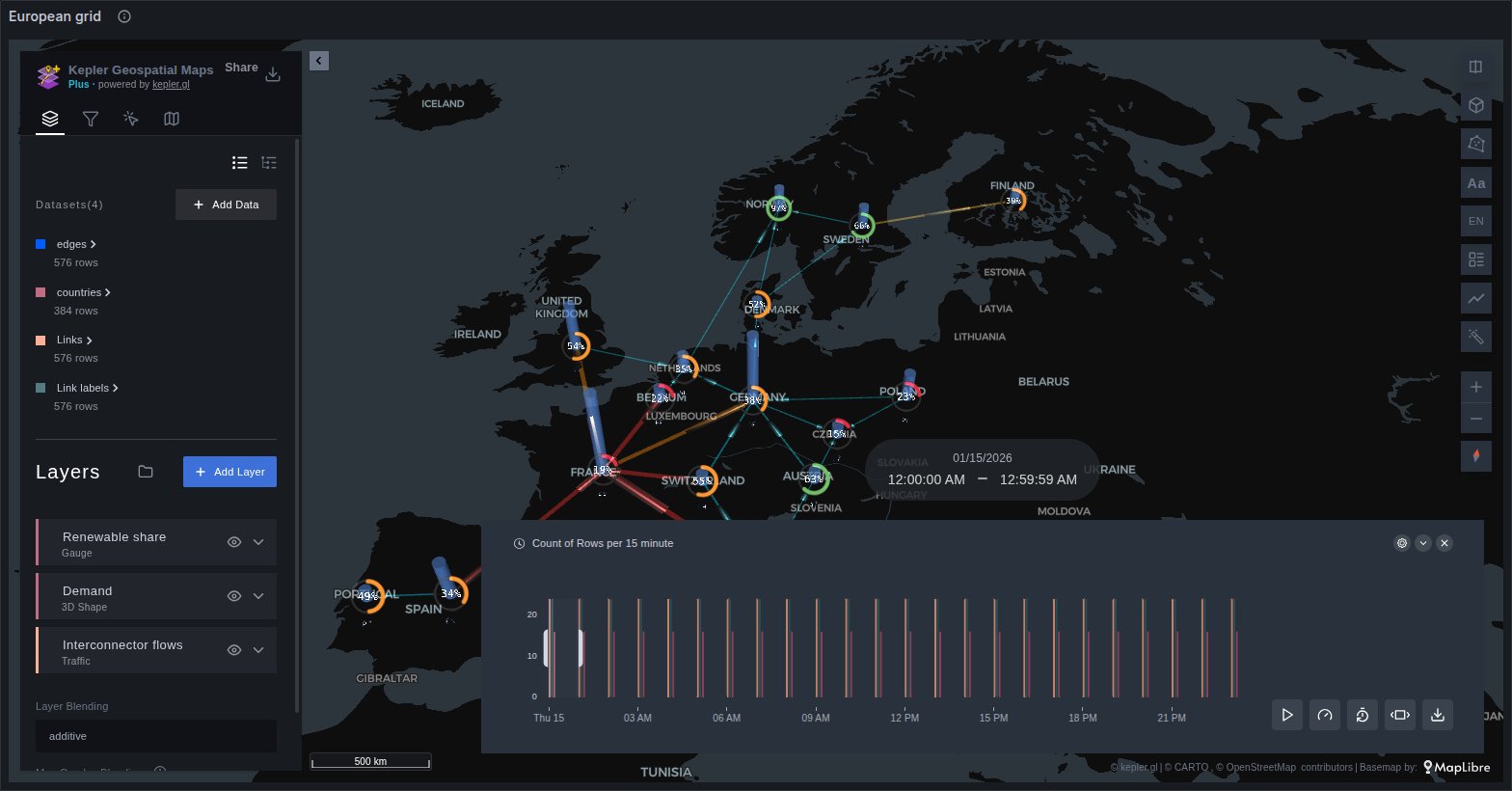
Plus runs the free panel with everything it does, under the same options, and adds to it. Free and Plus panels can run side by side on the same Grafana and the same dashboard.
What it adds
- Eight layer types: Gauge, 3D Shape, Coverage, Surface, Sparkline, Traffic, Pipeline and Fleet.
- Places without coordinates: cloud regions, airports, PoPs, geohashes, countries and client IPs placed from their names, and states, provinces and municipalities placed by name or ISO 3166-2 code.
- Network links between named sites, and the active alerts the viewer can read, on the same map as your data.
- Base maps from Azure Maps and Google, and 3D tiles from Google, with keys set once for the organisation and kept where no browser sees them.
- A layer tour dashboard installed with the app, on synthetic data that needs no setup.
- Grafana Assistant skills that explain a Plus map, edit it and build dashboards around it.
- A second panel, Time Brush: a histogram with a window to drag, step and play, written to variables or to the dashboard time range, pinned to the top of the page while you scroll.
What Plus adds compares the two editions feature by feature.
Requirements
Plus needs Grafana Cloud or Grafana Enterprise, at one of these versions:
- 12.0.10 or a later 12.0 patch;
- 12.1.7 or a later 12.1 patch;
- 12.2.5 or any later version.
These are the free panel's floors too; the free Install page explains why.
Plus is an app plugin, Kepler Geospatial Maps Plus (ubica-keplerplus-app). Install it from Grafana's plugin catalogue and enable it, and its panel, also called Kepler Geospatial Maps Plus, appears in the visualization picker. See Install and configure the app.
Where to go next
- See Plus at work on the live demos, public and read-only.
- Install and configure the app, then add the keys of the map services you use.
- Move a dashboard to Plus to switch a free panel without losing its map.
- Open the layer tour and replace a map's query with your own.
- The free panel's documentation covers everything Plus inherits: queries, kepler's layers, filters, time playback and the links to the rest of the dashboard.