
Appearance
Template dashboard
Enabling the Plus app installs one dashboard, Kepler Plus layer tour: five maps that show the main Plus layers at work. Find it in Grafana's Dashboards list, under the app in the navigation menu, or on the app's Dashboards tab under Administration → Plugins and data → Plugins.
Every map reads synthetic rows embedded in the dashboard through Grafana's TestData data source, so the tour draws with nothing else set up. If your Grafana has no TestData data source, add one under Connections, then pick it in the dashboard's Data source variable.
The data is a fixed day, 1 September 2026 in UTC, and the dashboard's time range is set to that day. Each map keeps its own time filter: press ▶ on it to replay the scenario.
Copy before you customise
Grafana manages this dashboard with the app: it may replace it when the app is updated, and removes it when the app is disabled. Save a copy with Save as before changing it.
| Map | Shows | Documented in |
|---|---|---|
| Power grid — Europe | Renewable share as gauges, demand as cylinders, interconnector flows as Traffic lines | Gauge, 3D Shape, Traffic, Network links |
| City — Cuenca | A fleet in 3D at its last position, over cell site domes and camera and radar cones | Fleet, Coverage 3D |
| Rivers — Cuenca | A sparkline card per river station, with a no-data alert and a shared crosshair | Sparkline |
| Weather — Madrid | Temperature estimated between weather stations, as bands and isolines | Surface |
| Regions — Ecuador | Ecuador's provinces placed by name, as a choropleth | States, provinces and municipalities |
The dashboard's About this dashboard panel repeats what each map shows and what to change to use your own data.
More dashboards built with Plus, on live public data, are on the live demos, public and read-only.
Power grid
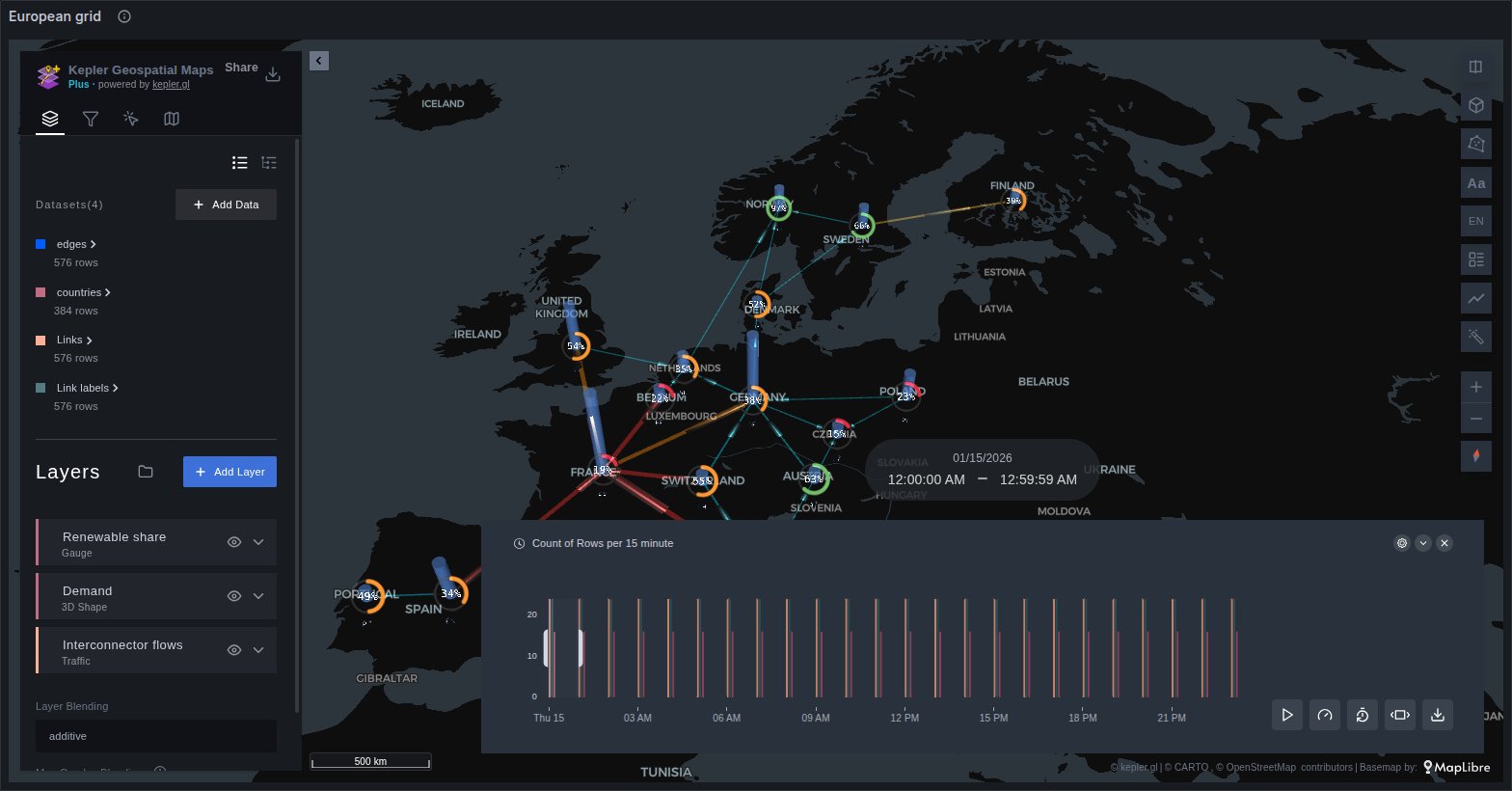
Sixteen European countries over a winter day's pattern: a Gauge ring filled to each country's renewable share, a 3D Shape cylinder as tall as its demand, and Traffic comets along the interconnectors, coloured by load, which change direction through the day.
Your data: two queries. The links are a frame with source and target columns, a time, the power mw and the load in percent, with a frame of nodes that gives each end an id and its coordinates. The country readings are rows with a time, a position, demand_mw and renewable_pct. See Network links for the link shapes Plus accepts.
City
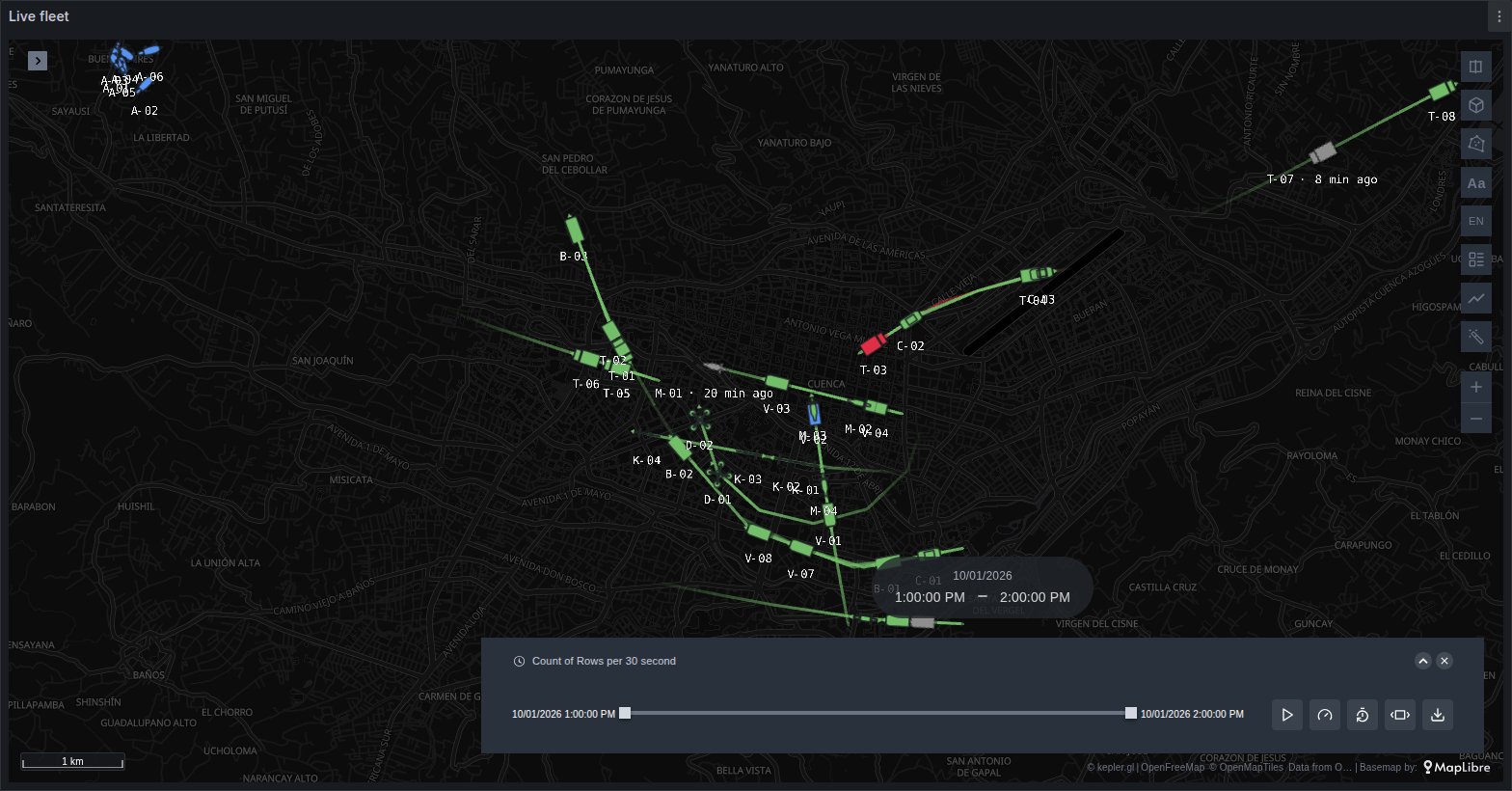
A synthetic fleet of cars, vans, trucks, buses, bicycles, drones and a herd of cattle over the last hour of the day, drawn by the Fleet layer in 3D: each asset once, at its position now, turned to its heading, with a short trail and a bundled model for its type. Three of them have stopped reporting and turn grey. Under them, Coverage 3D raises the cell sites as signal domes coloured by load, and the cameras and the radar as cones. The map is tilted: drag with the right mouse button to turn it.
Your data: for the fleet, a table with an asset id (vehicle_id, device_id, imei, mmsi…), a time and a position, or one series per metric and asset with the asset as a label. For coverage, one row per sector with its position, azimuth, beamwidth and range_m. The layers keep their settings as long as your columns have the same names.
Rivers
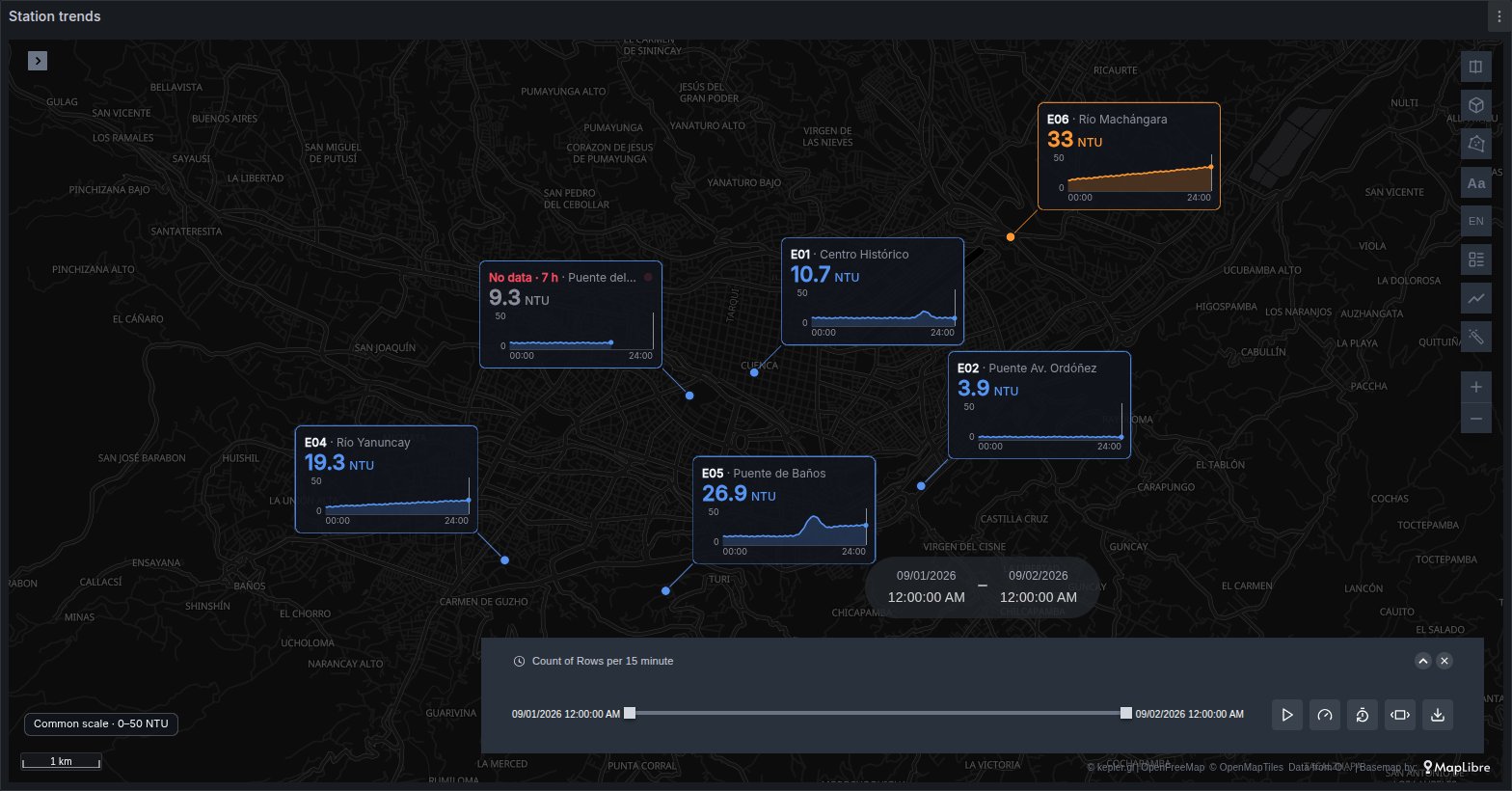
Six river stations, each a Sparkline card with its turbidity over the day and its current value in its band's colour. One station stops reporting at 17:00, so its card turns red with No data. The Time series under the map reads the same query; hover it to see every card follow Grafana's shared crosshair.
Your data: rows with a position, a time and a value, one row per reading. Grafana thresholds do not reach the map: edit the bands in the layer's colour range.
Weather
Temperature estimated between 40 weather stations around Madrid by a Surface layer in Interpolate mode, drawn as coloured bands with isolines, with the stations as dots on top. Values between stations are estimates, not measurements. Press ▶ to watch the day go by.
Your data: any table with latitude, longitude and a number, one row per reading. The layer's Count mode instead counts the points within a radius of each place, for vehicles or events.
Regions
Ecuador's 24 provinces placed by name, from a query with a country and a province column and no coordinates, drawn as a choropleth.
Your data: a query is placed when it has a state, province or ISO 3166-2 code column, or a county, canton or municipio column with a country column. With no country column, choose the country in the panel's Places → Country option.
Your own data
Replace a map's query with your own rows of the same shape, then set the dashboard back to a relative time range. Colours follow kepler's breaks, edited in each layer's colour range. Each layer's page lists the columns it reads.